About this site

How I built this

Maxillofacial is a free website that explains facial injuries and jaw surgery in plain words. I designed and built it with the help of AI. Below, I explain how it started and how it works.

Designed & built by

Biswajit Das

Risk and compliance, moving into AI product management

This website started with my own facial injury in 2026. I approached it as a product. I started from what patients need, and then I built it with AI tools.

My background in risk and compliance shows most in the surgeon list. Every listing links to its source, and each one was checked before it went in.

LinkedIn profile

How it started

In August 2026, I was in a road accident. The accident broke the left side of my face: the cheekbone (zygoma), the upper jaw (maxilla), the lower jaw (mandible) and the eye socket (orbit). I needed two operations. The first repaired my cheekbone and lower jaw, and the second repaired my eye socket and upper jaw.

In hospital, I tried to understand the words that I kept hearing. The doctors explained things in medical terms, and I was often in too much pain to follow them. I searched online, but I could not find one page that explained the terms and the whole process before, during and after surgery.

So I decided to build the website I had been looking for. I wanted a friend, or anyone in a similar situation, to be able to understand each step in simple words.

Pictures that show the bones

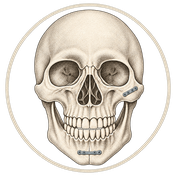
Medical words are easier to follow when you can see the bone that they describe. On the homepage, a face turns into a skull as you scroll, and then the skull lights up five areas, one by one. Each guide highlights the bone that it covers. Four guides also have a slider that you can drag to compare a broken bone with the same bone after it is repaired with titanium plates or mesh.

A list of surgeons you can check

Patients and families also need to know where to go. Find a surgeon lists 208 hospitals in 28 states and union territories of India, with 806 surgeon names. A surgeon who works at two hospitals appears under both.

Each listing links to its source, which is the hospital's own website or an official government or university page. Before a listing went in, scripts checked that the source mentions oral and maxillofacial surgery and shows each surgeon's name. The list does not rank hospitals or surgeons.

No tracking, no accounts

The site sets no cookies, and it has no analytics, no ads and no accounts. The search and the "Near me" button work on your device, so your location and your search words are never sent anywhere. The privacy page has the details.

Where AI came in

AI did most of the hands-on work. I made the decisions and reviewed what it produced.

Code, research and tests

I used Claude Code, the AI coding tool from Anthropic, to write the code, the browser tests and the data checks. AI research agents read hospital websites and gathered the Find a surgeon listings.

My part

I decided what the site covers, how it looks and reads, and which rules the surgeon list follows. When I noticed that my own surgeon was missing from the list, I changed the rules. The list now names every oral and maxillofacial surgeon that a hospital's own website shows.

Under the hood

The site is a set of ready-made pages on free hosting. There is no server code and no database. This is how a page reaches you.

  1. Built onceAstro

    When I publish, Astro turns the guides, the hospital list and the maps into ready pages. If a listing has an error, the build stops.

    GuidesHospital listMaps
  2. HostVercel

    Vercel stores the ready pages and sends them to your browser.

    Ready pagesNo database
  3. Your deviceYour browser

    Your browser shows the pages and runs the scan, the search and "Near me". Your location stays on your device.

    ScanSearchNear me

Tools and technologies

Website
Astro 7, MDX and TypeScript, with hand-written CSS
Maps
d3-geo, TopoJSON and mapshaper. District boundaries from the Survey of India, via the Datameet community (CC0)
Places
OpenStreetMap for hospital locations. India Post to check PIN codes
Homepage scan
120 WebP frames drawn on a canvas. Python and Pillow prepare the frames
Effects
thinking-orbs for the dotted orb, metal-fx for the metal button and Paper Shaders for the liquid metal
Testing
Playwright browser tests in headless Chrome, and a data check on every build
Hosting
Vercel. The code is on GitHub
Fonts
Sora and Figtree, from Google Fonts
AI tools
Claude Code for the code, the research and the tests
Credits
thinking-orbs and metal-fx by Jakub Antalik (MIT licence). Paper Shaders (Apache 2.0 licence)

Questions and corrections

If you have a question, or if a hospital listing is wrong or missing, message me on LinkedIn.